Labels
Contents
Labels are entities used in the program to conceptually organize tasks or project elements.
Labels are categorized according to label type. A label can only belong to one label type; however, users can create many similar labels belonging to different label types.
Label Types
Label types are used to group the types of labels that users want to manage in the program. Here are some examples of possible label types:
- Client: Users may be interested in labeling tasks, projects, or project elements in relation to the client who requests them.
- Area: Users may be interested in labeling tasks, projects, or project elements in relation to the areas in which they are carried out.
The administration of label types is managed from the "Administration" menu option. This is where users can edit label types, create new label types, and add labels to label types. Users can access the list of labels from this option.
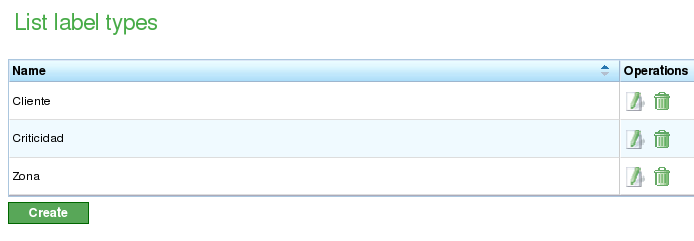
List of Label Types
From the list of label types, users can:
- Create a new label type.
- Edit an existing label type.
- Delete a label type with all of its labels.
Editing and creating labels share the same form. From this form, the user can assign a name to the label type, create or delete labels, and store the changes. The procedure is as follows:
- Select a label to edit or click the create button for a new one.
- The system displays a form with a text entry for the name and a list of text entries with existing and assigned labels.
- If users wish to add a new label, they must click the "New label" button.
- The system displays a new row on the list with an empty text box that users must edit.
- Users enter a name for the label.
- The system adds the name to the list.
- Users click "Save" or "Save and continue" to continue editing the form.
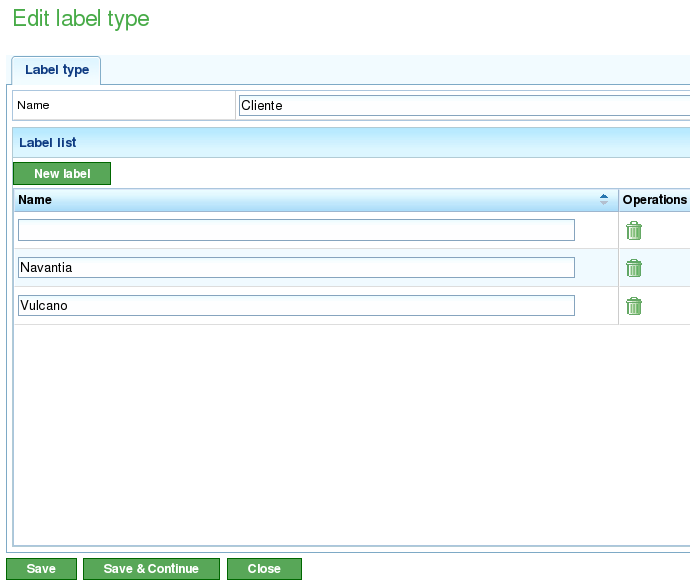
Editing Label Types
Labels
Labels are entities that belong to a label type. These entities can be assigned to project elements. Assigning a label to a project element means that all the elements descending from this element will inherit the label to which they belong. Having an assigned label means that these entities can be filtered where searches can be carried out:
- Search for tasks in the Gantt chart.
- Search for project elements in the list of project elements.
- Filters for reports.
The assignment of labels to project elements is covered in the chapter on projects.