Cost management
Contents
Costs
Cost management allows users to estimate the costs of resources used in a project. To manage costs, the following entities must be defined:
- Hour Types: These indicate the types of hours worked by a resource. Users can define hour types for both machines and workers. Examples of hour types include: "Additional hours paid at €20 per hour." The following fields can be defined for hour types:
- Code: External code for the hour type.
- Name: Name of the hour type. For example, "Additional."
- Default Rate: Basic default rate for the hour type.
- Activation: Indicates whether the hour type is active or not.
- Cost Categories: Cost categories define the costs associated with different hour types during specific periods (which may be indefinite). For example, the cost of additional hours for first-grade skilled workers in the following year is €24 per hour. Cost categories include:
- Name: Cost category name.
- Activation: Indicates whether the category is active or not.
- List of Hour Types: This list defines the hour types included in the cost category. It specifies the periods and rates for each hour type. For example, as rates change, each year can be included on this list as an hour type period, with a specific hourly rate for each hour type (which may differ from the default hourly rate for that hour type).
Managing Hour Types
Users must follow these steps to register hour types:
- Select "Manage hour types worked" on the "Administration" menu.
- The program displays a list of existing hour types.

Hour Type List
- Click "Edit" or "Create."
- The program displays an hour type editing form.
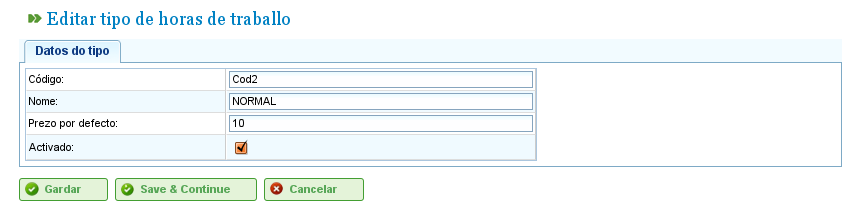
Editing Hour Types
- Users can enter or change:
- The hour type name.
- The hour type code.
- The default rate.
- Hour type activation/deactivation.
- Click "Save" or "Save and continue."
Cost Categories
Users must follow these steps to register cost categories:
- Select "Manage cost categories" on the "Administration" menu.
- The program displays a list of existing categories.
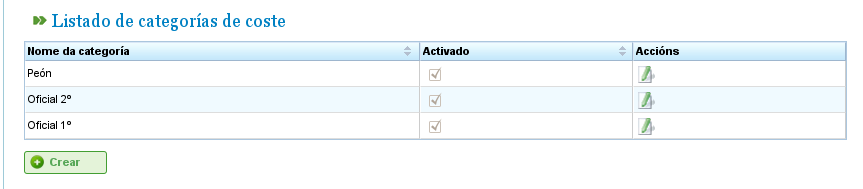
Cost Category List
- Click the "Edit" or "Create" button.
- The program displays a cost category editing form.
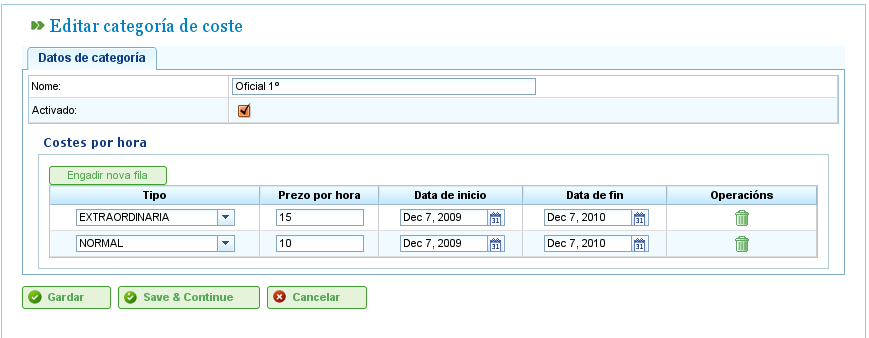
Editing Cost Categories
- Users enter or change:
- The name of the cost category.
- The activation/deactivation of the cost category.
- The list of hour types included in the category. All hour types have the following fields:
- Hour Type: Choose one of the existing hour types in the system. If none exist, an hour type must be created (this process is explained in the previous subsection).
- Start and Finish Date: The start and finish dates (the latter is optional) for the period that applies to the cost category.
- Hourly Rate: The hourly rate for this specific category.
- Click "Save" or "Save and continue."
The assignment of cost categories to resources is described in the chapter on resources. Go to the "Resources" section.